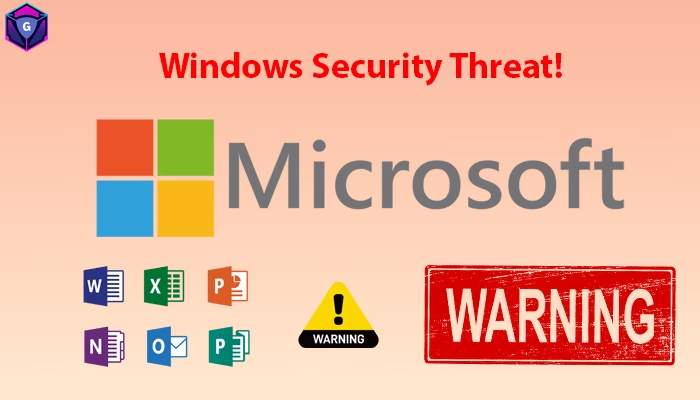
If you are using a Windows laptop or Desktop PC daily, this critical update matters. CERT-In Microsoft High Risk Alert has been issued after multiple security flaws were found in Microsoft products, and one of them is already being exploited in real-world attacks.
India’s national cybersecurity body CERT-In (Indian Computer Emergency Response Team) has released a high-severity advisory warning that Microsoft users could be exposed to serious threats if they delay updates. The advisory (CIAD-2026-0002) was issued on January 14, 2026, and it covers a wide range of Microsoft services and software.
What is CERT-In Microsoft High Risk Alert?
The CERT-In Microsoft High Risk Alert is an official cybersecurity warning published by the Government of India. It highlights multiple vulnerabilities affecting Microsoft products and states that attackers may use these weaknesses to compromise computers and networks.
This advisory is important because it is not limited to corporate IT systems. Even personal users who browse the internet, use Office tools, or store documents on their Windows PC are also at risk if they haven’t updated their devices.
Which Microsoft Products Are Affected?
According to the advisory, the vulnerabilities can impact a large list of services and tools. The CERT-In Microsoft High Risk Alert mentions that these issues may be found in:
Windows Operating System: Windows is the most targeted environment because it is widely used in homes and offices.
Microsoft Office: Tools like Word, Excel, PowerPoint, and Outlook are popular, making them attractive for attackers.
Azure Services: Businesses using Microsoft’s cloud environment also fall under the risk scope.
SQL Server: SQL Server vulnerabilities can become dangerous for your organizations hosting databases or internal apps.
Developer Tools: Some vulnerabilities may affect developer tools and related environments.
Extended Security Updates (ESU) Systems: Older Windows systems running under ESU are also mentioned, which is serious because legacy systems already have limited protection.
CVE-2026-20805 Explained
This flaw is related to Windows Desktop Window Manager (DWM), which handles how windows and visual effects work on your system, The advisory says this vulnerability may allow an attacker with local access to extract sensitive information quietly.
Local access doesn’t always mean someone sitting in front of your computer. It can also happen when:
- Your PC gets infected with malware Virus
- A malicious app gets installed silently
- Someone connects through remote access tools with your pc
- A shared office system is misused
Once local access is possible, attackers may use such vulnerabilities to steal data or gain deeper control of your pc.
What Can Attackers Do Using These Vulnerabilities?
CERT-In warns that these vulnerabilities could open doors to multiple attack types. This is where the CERT-In Microsoft High Risk Alert becomes a must-read for every Windows user.
1) Remote Code Execution (RCE)
Attackers might run malicious code on your PC remotely.
2) Privilege Escalation
They may increase access from a normal user to administrator-level control.
3) Identity Spoofing
Attackers can trick systems into believing they are trusted users.
4) Data Theft
Sensitive data like documents, passwords, or browser information can be stolen.
5) System Crash / Instability
Some vulnerabilities can cause crashes, which can disrupt work and harm productivity.
6) Ransomware Risks
In severe cases, compromised systems can become entry points for ransomware attacks.
What Users Should Do Right Now ?
Here are the safest steps you should take immediately after this CERT-In Microsoft High Risk Alert.
Update Windows to January 2026 Security Patch
Microsoft pushes security updates every month, and this one is especially important.
How to update Windows
- Open Settings
- Go to Windows Update
- Click Check for updates
- Install all pending updates
- Restart your PC
Restart is required to fully apply most security patches, Update Microsoft Office AppsUpdate Microsoft Office Apps If you use Word/Excel/PowerPoint, don’t ignore Office updates, Don’t Delay Restart After Updates Many people install updates but don’t restart. That leaves the security fix incomplete, If your system says restart pending, do it.
Why This Advisory Matters for India
The CERT-In Microsoft High Risk Alert is important because Windows remains one of the most used operating systems in India for:
- Government offices
- Small businesses
- Education institutions
- Remote jobs and freelancers
And in most cases, people delay updates because they think their PC is “working fine.” But cybersecurity threats don’t give obvious warning before damage.
For more official and reliable information, you can check:
- Microsoft Security Update Guide (official)
- 👉 https://msrc.microsoft.com/update-guide
- CERT-In official website
- 👉 https://www.cert-in.org.in
- Microsoft Support: Install Windows Updates
- 👉 https://support.microsoft.com/windows
FAQs on CERT-In Microsoft High Risk Alert
What is the CERT-In Microsoft High Risk Alert?
The CERT-In Microsoft High Risk Alert is a high-severity cybersecurity warning issued by India’s national cybersecurity agency (CERT-In). It highlights multiple security vulnerabilities in Microsoft products that could be exploited by attackers if users don’t install the latest updates.
Which Microsoft products are affected?
This alert impacts several Microsoft products, including:
Windows
Microsoft Office
Azure services
SQL Server
Developer tools
Systems running under Extended Security Updates (ESU)
Why is this alert considered urgent?
The alert is urgent because CERT-In confirmed an active exploitation related to a Windows vulnerability (CVE-2026-20805). This means real-world attackers may already be using it to compromise devices.
What can hackers do using these vulnerabilities?
If left unpatched, these vulnerabilities could lead to:
Remote Code Execution (RCE)
Privilege escalation
Identity spoofing
Data theft
System crashes
Ransomware or large-scale data leaks
Is this alert only for companies and enterprises?
No. CERT-In clearly states that individual Windows users are also at risk, not just enterprises. Even personal laptops and home PCs can be vulnerable if updates are ignored.
What should Windows users do immediately?
Users should install the latest January 2026 Microsoft security updates as soon as possible:
Go to Settings >> Windows Update >> Check for updates
Install all pending updates
Restart your PC
Do I also need to update Microsoft Office?
Yes. If you use Word, Excel, PowerPoint, or Outlook, you should update Office as well:
Open an Office app >> File >> Account >> Update Options >> Update Now
Recommended Reading:
7 Powerful Differences: CNAP vs Truecaller – Which Caller ID Is Better in 2026?
Read this detailed CNAP vs Truecaller – Which Caller ID Is Better in 2026?
.